Convert a bank statement to QBO
To turn a bank statement to QBO, upload the PDF from your online banking and press Convert. Statesift reads each transaction, checks the rows against the opening and closing balance, and writes a .qbo Web Connect file. You can then upload it to QuickBooks Online or try it in QuickBooks Desktop.
By The Statesift team (Product and testing). Last updated .
PDF up to 15 MB. Read in memory, never stored.
How to convert a bank statement to QBO, step by step
- Save the statement from your online banking as a PDF. A scan or a phone photo will not work.
- Drop the PDF into the box above, and type its password if the bank locked the file.
- Optional: enter your own bank ID for the INTU.BID field. Leave it empty to keep the default 3000.
- Press Convert, read the balance stamp, then download the .qbo file and import it into QuickBooks.
Your first statement is free with a free account, up to 5 pages. After that, see the pricing page for prices and plans, or read how we test the tool.
Bank statement to QBO tested with a real statement
We ran one of our own test statements through the same code the tool on this page uses. So the pictures and the numbers below come from that run, not from a mockup.
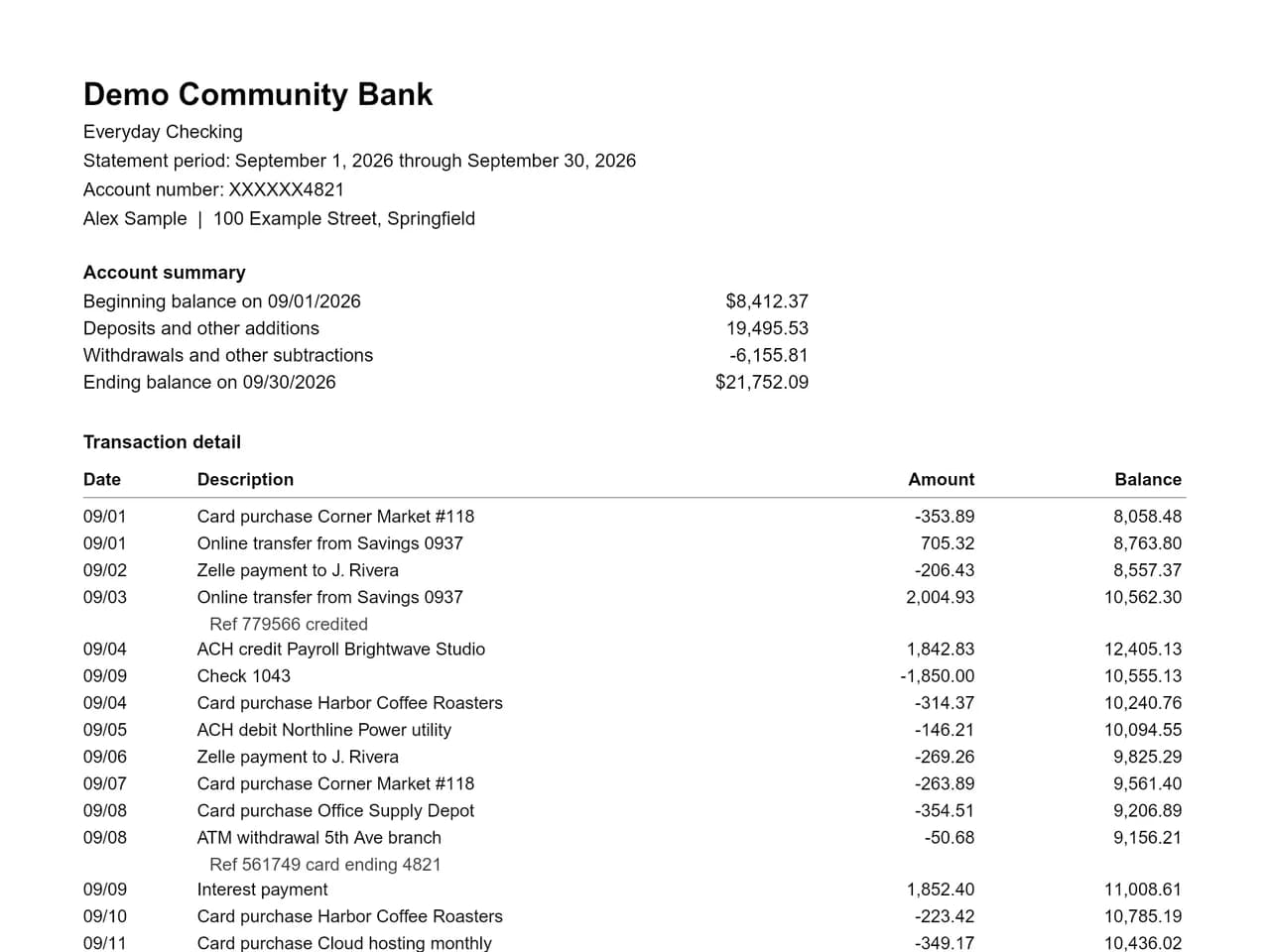
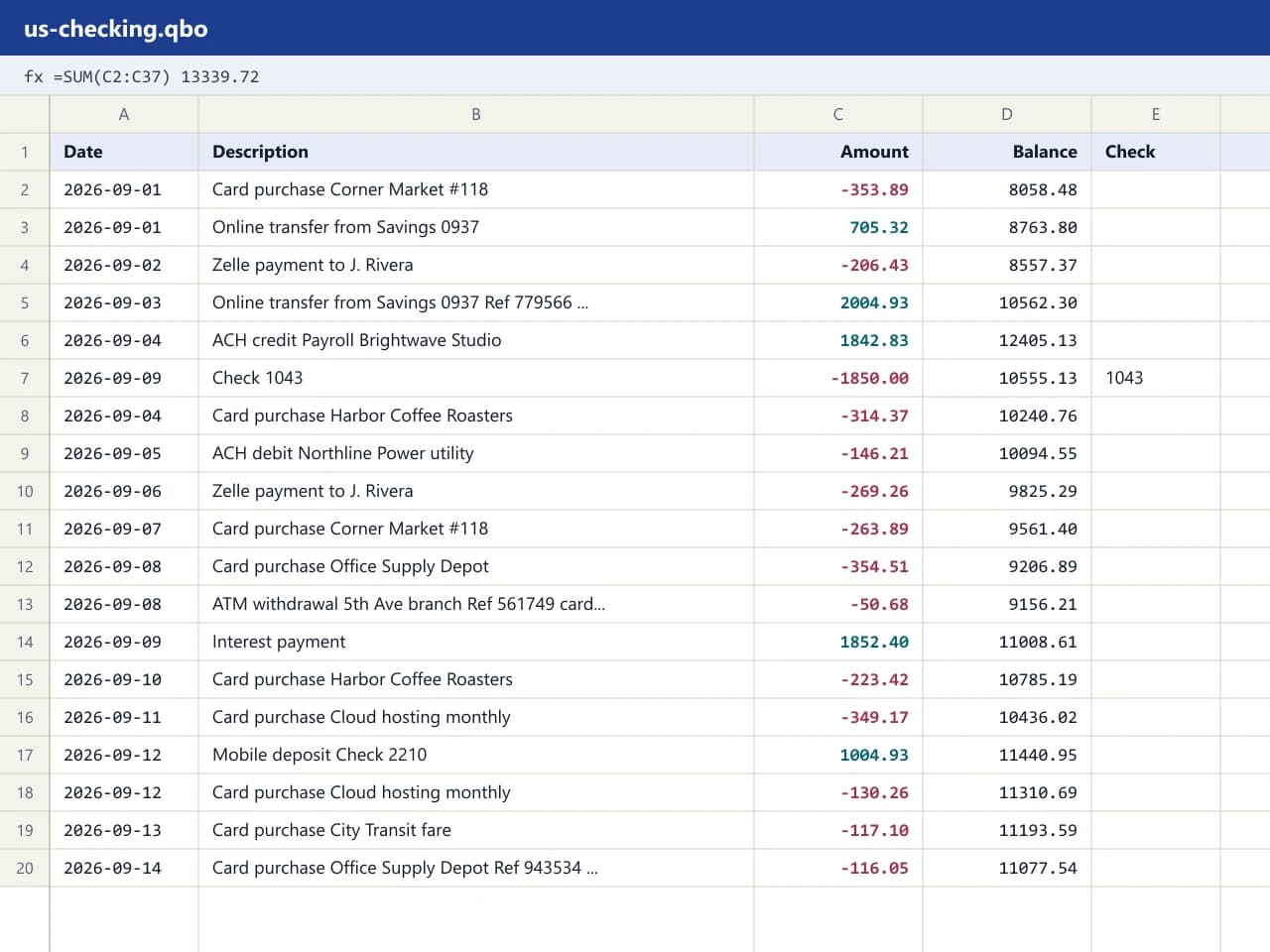 Balanced
- Test input
- us-checking.pdf
- Output
- us-checking.qbo
- Rows
- 36
- Money in
- 19495.53
- Money out
- 6155.81
- Pages
- 2
- Currency
- USD
- Output size
- 7 KB
- Engine time
- 29 ms
How we test: each test statement prints an opening and a closing balance, and the run only counts when the rows add up to both. More on the about page.
What a QBO file is
A QBO file is an OFX bank file with a small Intuit addition. The body lists the account, the statement period and every transaction in the OFX 1.0.2 layout. On top of that, it carries an INTU.BID tag, which tells QuickBooks which bank the file belongs to. Intuit calls this kind of download Web Connect.
Because of that tag, QuickBooks Desktop treats a .qbo file as a bank download, not as a loose spreadsheet. In fact, Intuit's own help page says .qbo is the only file type Web Connect can read. So when a bank offers no QBO export, a PDF statement is often the only record you have, and converting it fills that gap.
What goes into our bank statement to QBO file
Every transaction becomes one entry with a posted date, a signed amount and a unique transaction ID. QuickBooks uses that ID to spot the same row if it shows up twice. In addition, check numbers keep their own field. When a description runs past 32 characters, the short name goes in one field and the full text goes in the memo.
The file also holds the ledger balance from the closing balance on your statement. Money out is negative and money in is positive. For a credit card statement, the file switches to the credit card message set, so purchases count as charges and payments as credits. As a result, the register in QuickBooks reads the same way as your paper statement.
The bank ID and Web Connect import
QuickBooks compares the INTU.BID number with its list of banks. Our files use 3000 unless you type another number in the form. If QuickBooks says it cannot verify the financial institution for the download, try again with the bank ID that your own bank uses in its Web Connect files.
Intuit also notes that QuickBooks Desktop asks you to sign in to your Intuit Account before it imports a .qbo file. So sign in first, and back up your company file before the first import. Then open the file from QuickBooks and pick the account the rows belong to. QuickBooks Online takes the same .qbo file through its Upload from file option.
When a bank statement to QBO converter is not the right tool
If your bank already offers a QBO download for the dates you need, use it. That file comes straight from the bank, so nothing has to be read from a PDF. Likewise, if the account connects to QuickBooks through a bank feed, new rows arrive on their own and you only need a converter for older months.
Also know the risk with Desktop. Intuit's help expects a Web Connect file that you download from your bank's website, and QuickBooks checks the bank behind it. So QuickBooks Desktop may refuse a converted .qbo file, and Intuit support may not help with one. If that happens, QuickBooks Online and its CSV upload are the fallback. Finally, we cannot read scanned statements yet, and we convert one statement file per run.
Bank statement to QBO at a glance
| Item | Detail |
|---|---|
| Input | PDF checking, savings or credit card statement with a text layer |
| Output | .qbo Web Connect file (OFX 1.0.2 plus INTU.BID), with Excel, CSV, OFX, QFX and JSON in the same run |
| Bank ID | 3000 by default, or the number you type in the form |
| Balance check | Opening balance plus every row must match the closing balance |
| Free use | First statement free, up to 5 pages, with a free account |
| Storage | None: the PDF is read in memory and then discarded |
Bank statement to QBO FAQ
How do I convert a bank statement to QBO?
Upload the PDF statement on this page and press Convert. The tool reads the rows, runs the balance check and gives you a .qbo file to download, together with Excel, CSV, OFX, QFX and JSON versions of the same rows.
Is a QBO file the same as an OFX file?
Almost. A QBO file uses the OFX layout but adds Intuit tags, mainly INTU.BID, the bank ID. QuickBooks Desktop Web Connect expects those tags, so a plain OFX file will not open there as a bank download.
Can I upload a QBO file to QuickBooks Online?
Yes. In Bank transactions, choose Upload from file and pick the .qbo file. Intuit lists .qbo next to .csv, .txt and .ofx, with up to 1,000 lines per upload.
Why does QuickBooks reject my QBO file?
The most common message says QuickBooks cannot verify the financial institution. In that case, convert again with your own bank's ID in the Bank ID field. Also make sure you signed in to your Intuit Account in QuickBooks Desktop.
Does the QBO export work for credit card statements?
Yes. A card statement becomes a credit card file, so QuickBooks reads purchases as charges and payments or refunds as credits.