This bank statement converter reads the PDF your bank gave you and returns one clean row per transaction, as Excel, CSV, QBO, QFX, OFX and JSON. Before you download, it adds every row to the opening balance and compares the sum with the closing balance.
By The Statesift team (Product and testing). Last updated .
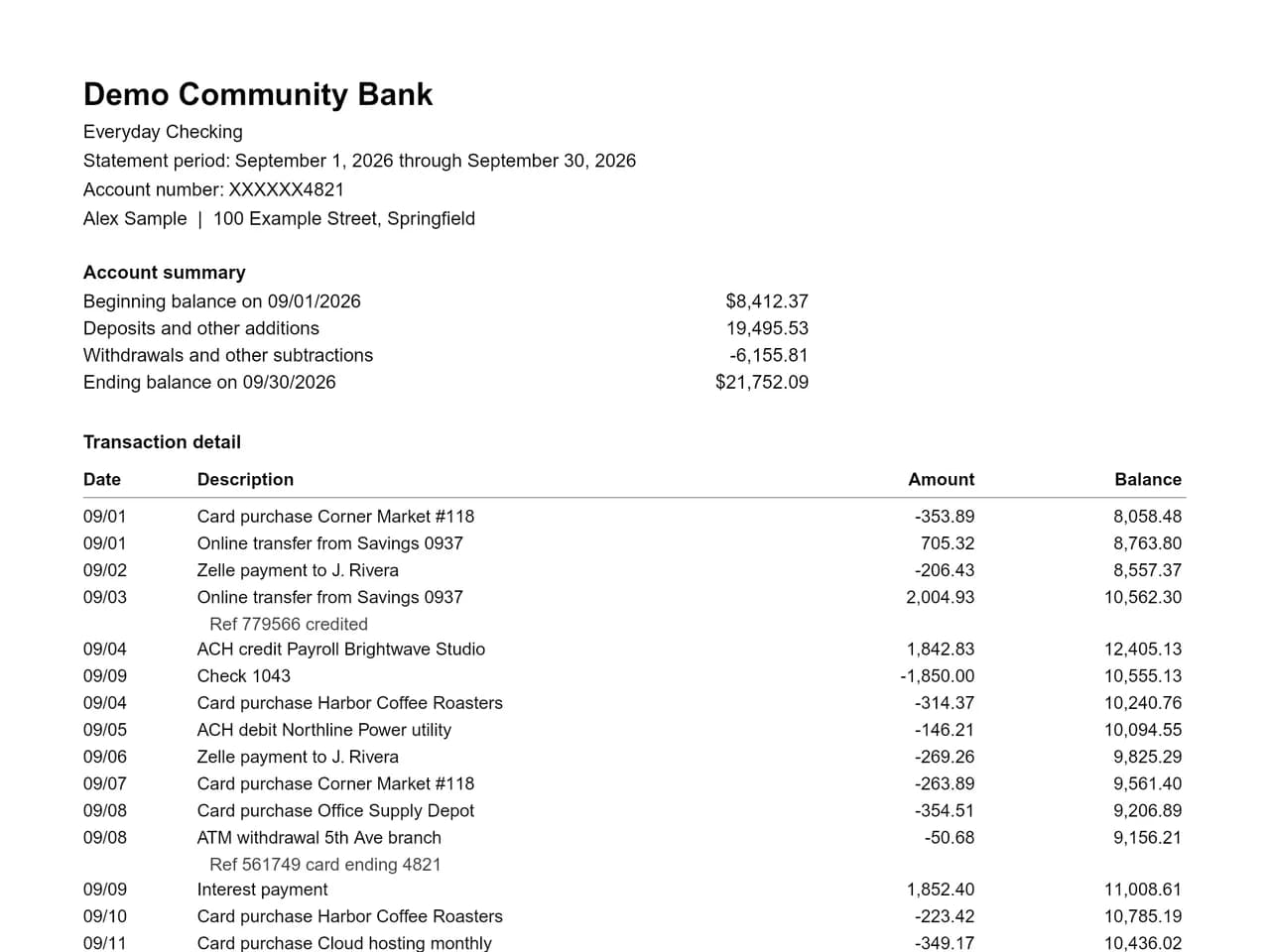
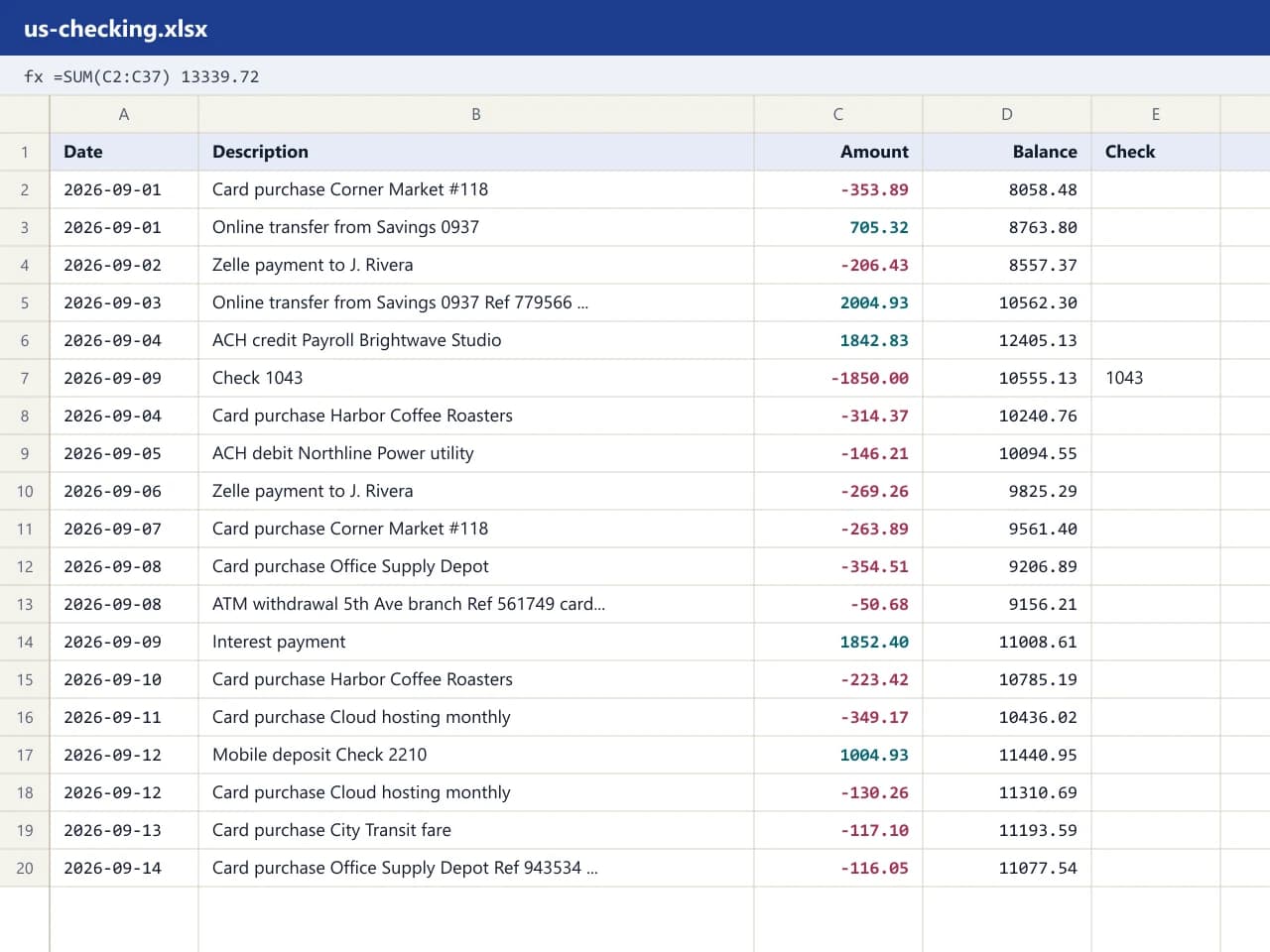
PDF, OFX, QFX, QBO up to 15 MB. Read in memory, never stored.
How the bank statement converter works
- Download the PDF statement from your online banking.
- Then drop it on the converter and type the password if the bank locked it.
- Next, read the stamp: Balanced means the rows add up to the closing balance.
- Finally, download Excel, CSV, QBO, QFX, OFX or JSON from the same run.
First, the converter reads the text layer of the PDF in memory. Then it finds the transaction table, joins wrapped descriptions to their row and reads the date order the bank uses. After that, it signs each amount so money out is negative and money in is positive.
As a result, a normal statement takes under two seconds. Because the check runs on every file, you see at once when a row is missing or a sign is wrong, so you never have to hunt for a few cents in a spreadsheet later.
One bank statement converter run, every format your books need
Each card below is a real file from our test statements. So scroll through the spreadsheet, the card statement, the QuickBooks file and the PDF report.

01Excel
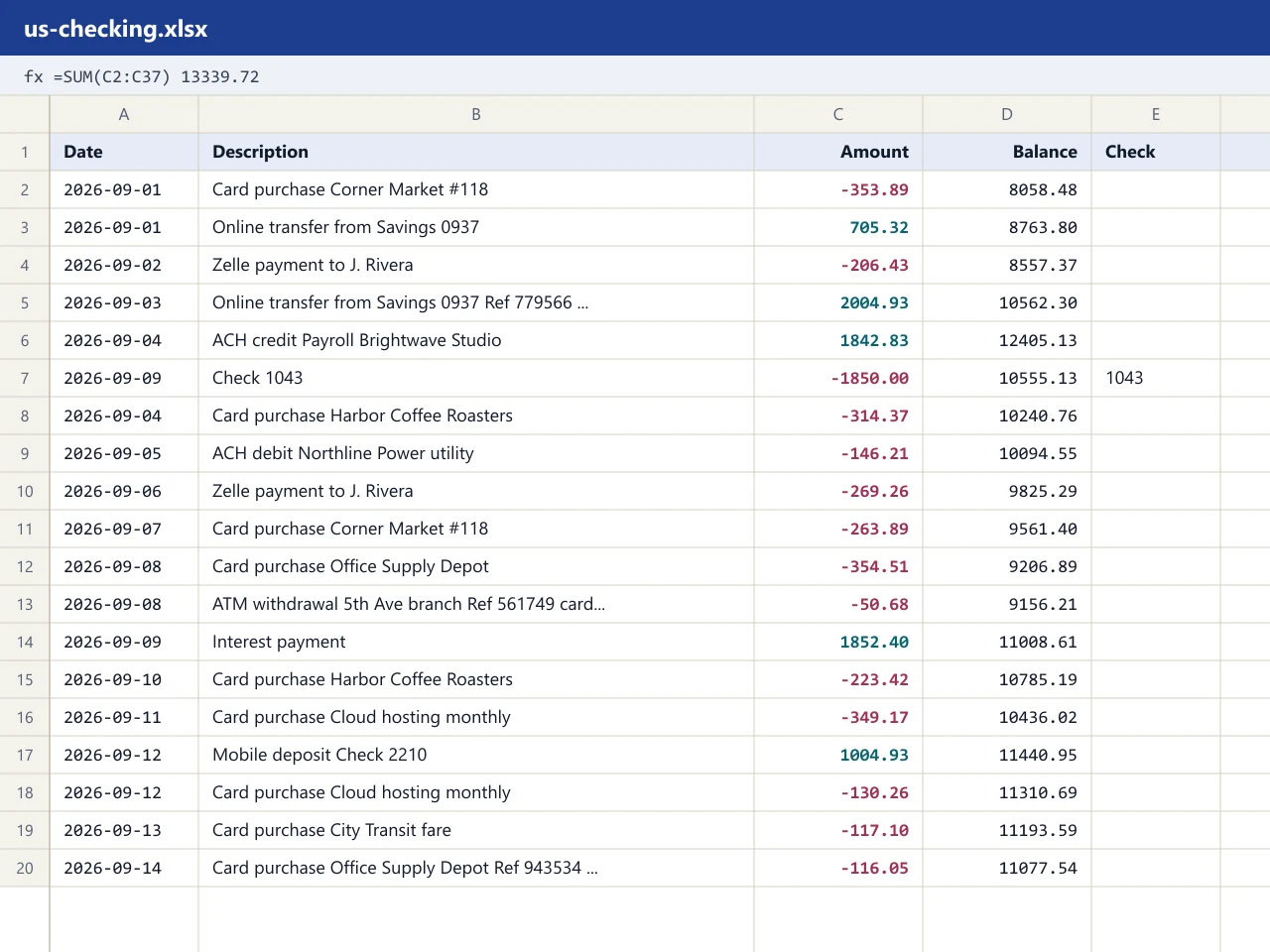
A sheet you can sort and total
Real Excel dates and numbers, a frozen header and a filter on every column. A second sheet holds the balance check.
Learn more about A sheet you can sort and total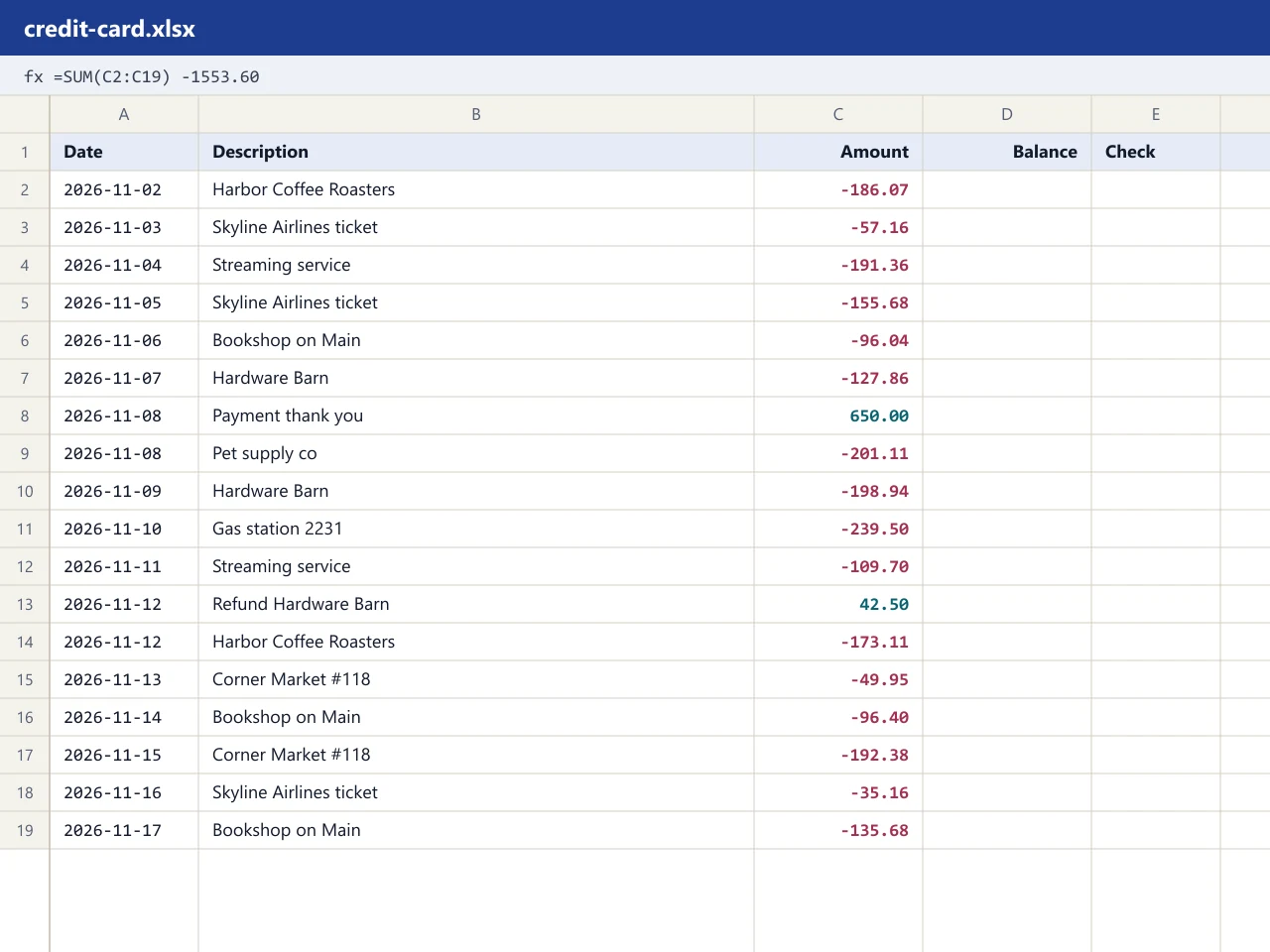

02Card
Purchases negative, payments positive
A credit card statement read with the right signs, so the sheet totals match the new balance the card company prints.
Learn more about Purchases negative, payments positive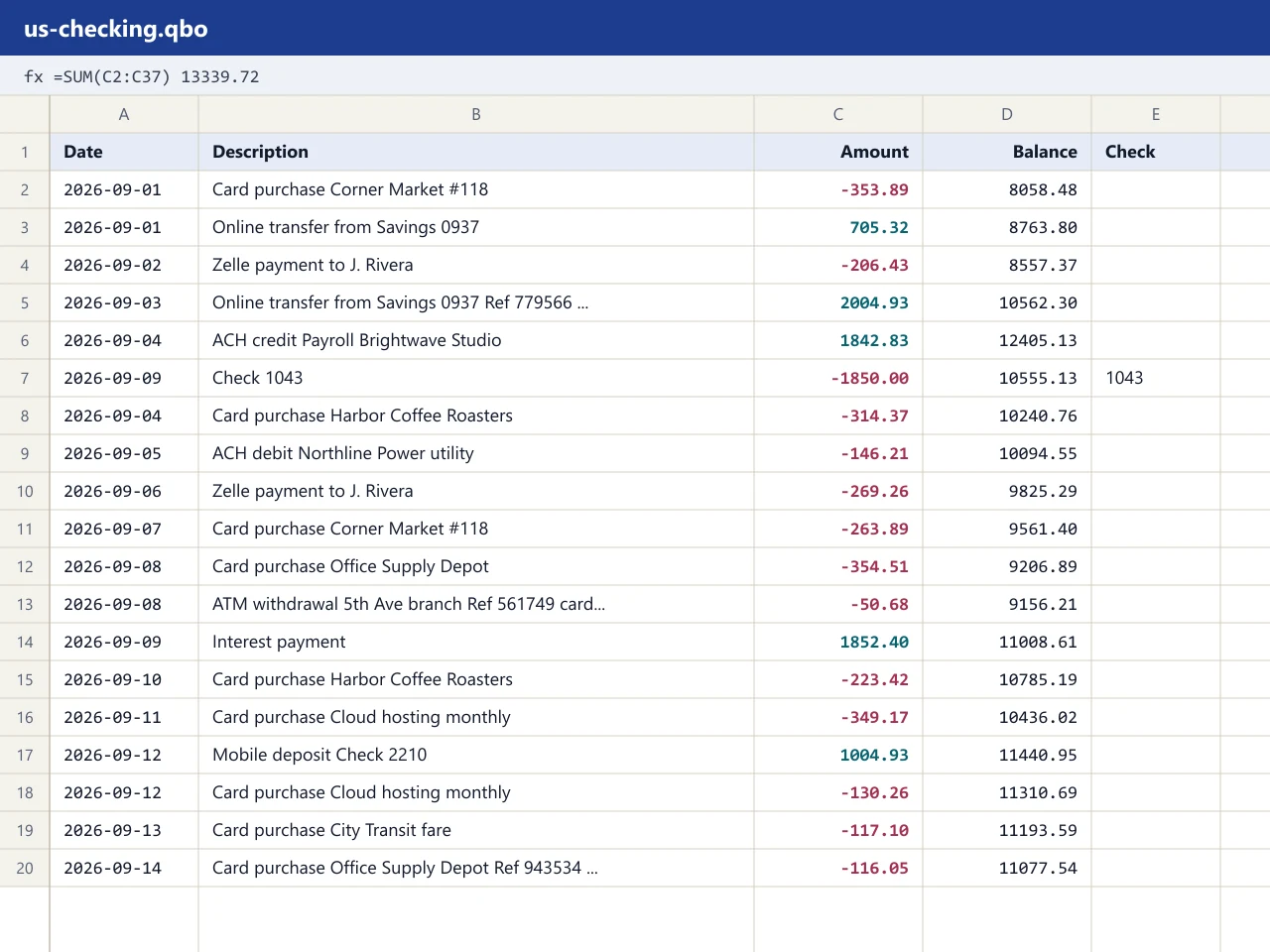

03QBO
Ready for a QuickBooks import
The same rows as a Web Connect file with a bank ID, so QuickBooks reads them like a download from the bank.
Learn more about Ready for a QuickBooks import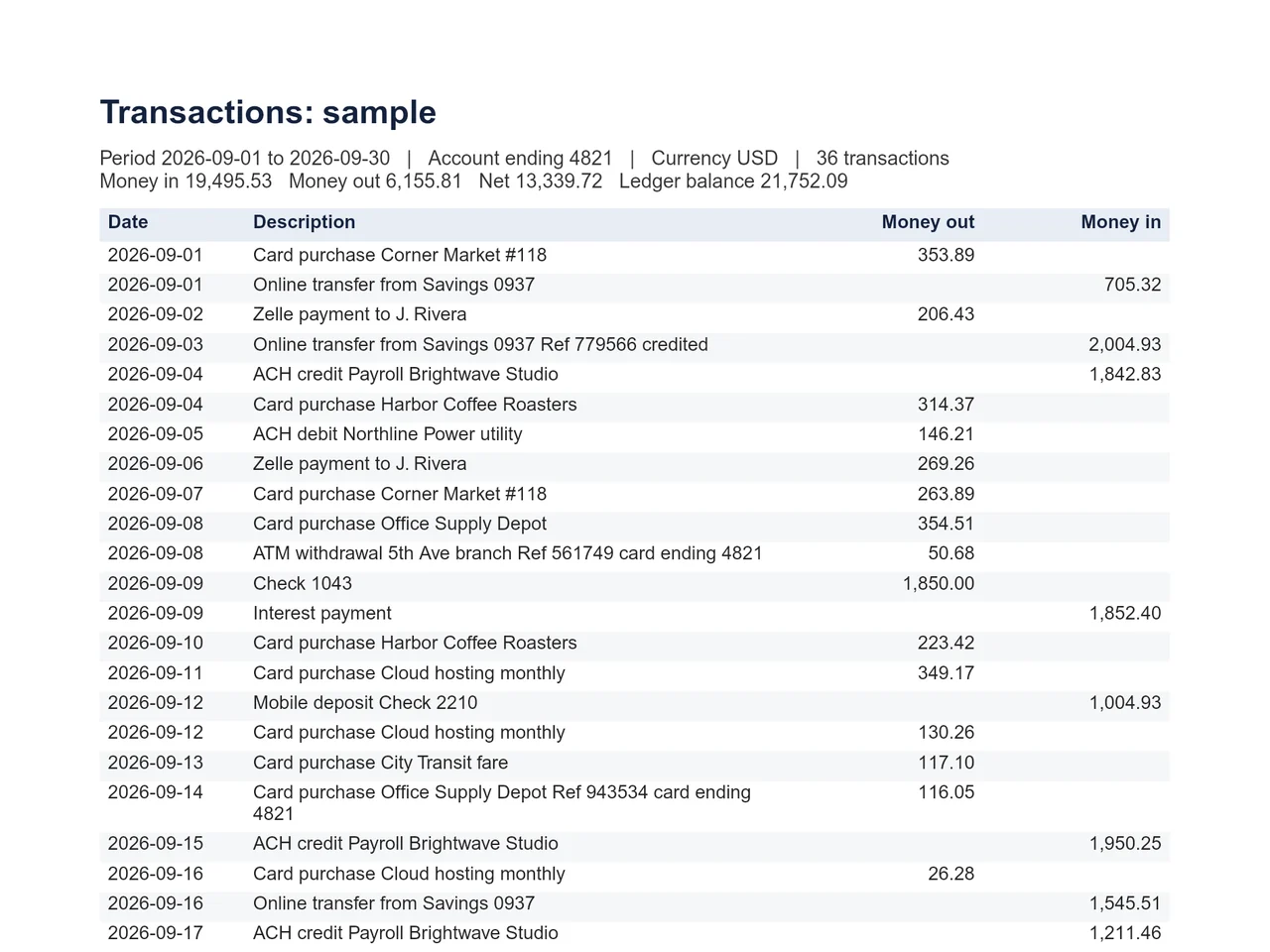

04PDF
Bank files you can finally read
Open an OFX, QFX or QBO download as a printable report with the period, totals and the ledger balance on top.
Learn more about Bank files you can finally read
Your statement is next
36 rows, two pages, and a balance that matches to the cent
BalancedOur test checking statement has two pages, a check number column and descriptions that wrap onto a second line. For example, a payroll deposit spans two lines and a check sits in its own column. In the end, the converter read all 36 rows, joined every wrapped line and matched the closing balance exactly.
- Rows
- 36
- Pages
- 2
- Off by
- $0.00
- Engine
- 40 ms
Pick the bank statement converter page for your job
Each page below explains one job in detail. So start with the program the rows must land in, whether that is Excel, QuickBooks, Xero or a plain CSV file.
First statement free, then $2.99 or cents a page
Your first statement is free with a free account, up to 5 pages. After that, one statement costs $2.99. However, if you close the books for several accounts each month, a plan costs a few cents a page. See the pricing page.
- First statement, up to 5 pages
- Free account, no card
- Every export format
- Balance check on every run
Up to 10 pages, then $0.20 a page.
- 10 pages$2.99
- 20 pages$4.99
- 40 pages$8.99
- 60 pages$12.99
- About 6 cents a page
- Every export format
- Cancel anytime
- About 5 cents a page
- For bookkeepers with many clients
- Every export format
- Under 2 cents a page
- For accounting firms
- Every export format
Pages are the credits, so a 3 page statement uses 3 pages, with every format in one run. Also, the preview of the first rows is always free. Pages you buy per statement stay on your account, and plan pages top up at each renewal. Over 5,000 pages a month? Contact us. Payments go through PayPal.
When this bank statement converter is not the right tool
First, it cannot read a scanned or photographed statement yet, because there is no OCR. If the PDF has no text layer, the tool says so and you keep your free statement. In that case, ask the bank for the digital PDF, since almost every bank offers one in online banking.
In addition, it converts one statement file per run and never connects to your bank account. So if you need live bank feeds or automatic categories, the bank feed inside QuickBooks or Xero is the better choice.
Bank statement converter FAQ
What does a bank statement converter do?
It reads a PDF bank statement and writes the transactions as structured rows: date, description, amount and balance. Then you can open them in Excel or import them into QuickBooks, Quicken or Xero.
Is this bank statement converter free?
Yes, for your first statement of up to 5 pages, with a free account and no card. After that, one statement costs $2.99 up to 10 pages, and plans start at $29 a month for 500 pages.
How do I know the conversion is correct?
Every run adds all rows to the opening balance and compares the result with the closing balance, and it checks each running balance too. The stamp says Balanced only when both match.
Can it convert a password protected PDF statement?
Yes. Type the password in the form and the converter opens the file in memory. We never store the password or the file.
Does it work with scanned statements?
Not yet. It needs a PDF with a text layer, which is what online banking gives you. A scanned page shows a clear message and does not use your free statement.
Close the month in minutes
Your first statement is free with a free account. So drop a PDF and read the stamp.